Ultra-Fast
In-Browser Remote Desk
“Ultra-Fast Remote Desktop & Unattended Access. Directly in Your Browser.”
Connect to any remote Windows machine with 60 FPS DirectX DXGI GPU capture, studio-grade 48kHz Opus audio, and true Session 0 unattended lock-screen access. Zero viewer installation required, zero driver residue on host, and zero recurring subscription lock-in.
How Remote Access Should Look
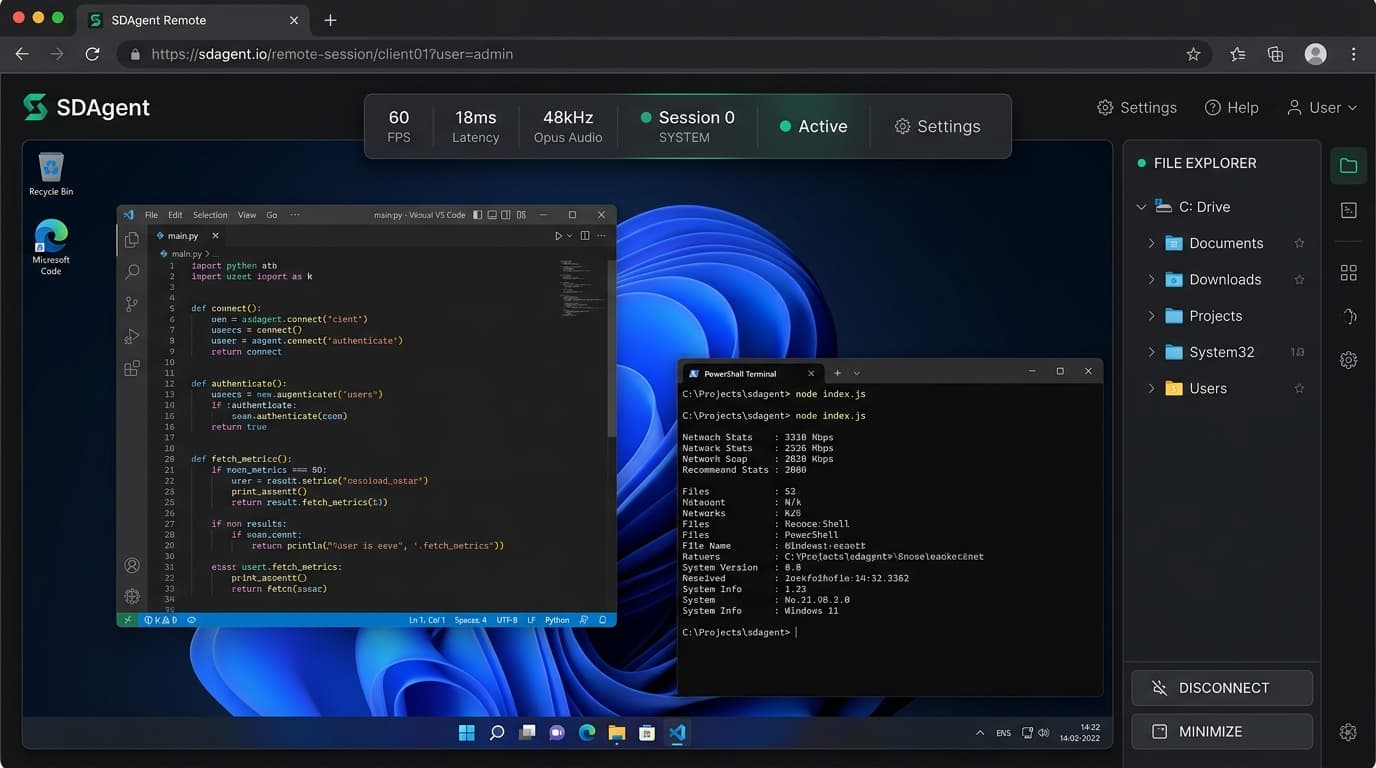
No software installation required on the client side. Open any modern browser, enter your session code, and gain instantaneous 60 FPS desktop control.
DirectX 11 DXGI
Direct VRAM capture bypassing CPU framebuffers. Encodes in under 4.7ms per 1080p frame via SIMD AVX2 TurboJPEG.
Session 0 Mastery
Maintains full control through Windows Lock Screen (Win+L), UAC security prompts, and software SAS (Ctrl+Alt+Del) triggers.
Zero Residual Traces
No virtual display drivers, no third-party filter drivers, and no lingering registry bloat left on the target operating system.
Purpose-Built for Modern IT Teams
Whether managing a corporate fleet, providing urgent helpdesk support, or accessing remote homelab hardware, SDAgent adapts seamlessly.
Instant Support from Any Browser Tab
Help clients instantly without forcing them through tedious desktop software downloads or license prompts. Open your browser, launch the session link, and take full control.
- Remote Software SAS: Execute Ctrl+Alt+Del to dismiss security dialogs without physical keyboard access.
- Silent Background Shell: Run PowerShell and CMD diagnostics behind the scenes without interrupting the user.
- Dual-Direction File Explorer: Upload diagnostic tools or download event logs with 64KB chunked asynchronous transfers.
Engineered for Speed.
Built for Unattended Control.
Unlike legacy remote tools that install clunky virtual display drivers and bog down system resources, SDAgent leverages native Windows DirectX APIs and Session 0 isolation.
DirectX DXGI GPU VRAM Capture
Uses DirectX 11 Desktop Duplication (IDXGIOutputDuplication) to capture frames straight out of GPU video RAM in under 5ms, avoiding slow CPU framebuffers.
48kHz Studio-Grade Opus Audio
Direct system playback capture via WASAPI loopback (sdagsoundcapture.dll) in 40ms slices, encoded with native Opus and decoded in-browser via WebCodecs with zero delay.
Session 0 SYSTEM & Lock Screen
WinHostSvc.exe runs under NT AUTHORITY\SYSTEM. Seamlessly navigates Windows Lock Screen (Win+L), UAC consent dialogs, and injects software SAS (Ctrl+Alt+Del).
Zero System Traces & Clean Footprint
No virtual display drivers, no intrusive kernel hooks, and no lingering registry bloat. Client viewer runs in ANY modern browser without installing any software. Agent uninstalls cleanly in seconds.
Dual-Direction File Explorer
Full multi-volume file browser (C:\, D:\, external drives) with 64KB chunked asynchronous uploads/downloads and drag-and-drop straight into your browser.
Remote Interactive Multi-Shell
Switch effortlessly between PowerShell, Command Prompt (cmd.exe), and WSL Bash. Execute silent diagnostics without interrupting the user sitting at the monitor.
How SDAgent Compares
A factual, architectural comparison between SDAgent and traditional remote desktop suites.
| Capability / Metric | SDAgent (v2.4) | TeamViewer | AnyDesk | RustDesk | DWAgent |
|---|---|---|---|---|---|
| Capture Engine | DirectX 11 DXGI (GPU) | Proprietary Driver | Proprietary Driver | DXGI / Sciter | GDI BitBlt Fallback |
| Capture Latency / FPS | < 5ms · Up to 60 FPS | 15–30ms · 30–60 FPS | 10–25ms · 30–60 FPS | 10–30ms · 30–60 FPS | 15–35ms · 25–30 FPS |
| Client Viewer Requirement | Pure Web (Zero Install) | Heavy Desktop App | Heavy Desktop App | Heavy Desktop App | Legacy HTML/JS |
| System Audio Streaming | 48kHz Stereo Opus | In-App Only | In-App Only | In-App Only | No Audio Support |
| Lock Screen (Win+L) & UAC | Session 0 SYSTEM | Yes (Requires Driver) | Yes (Requires Driver) | Partial / Service | Yes |
| Software SAS (Ctrl+Alt+Del) | Native Remote Injection | Yes | Yes | Partial | Yes |
| Residual Traces on Host | Zero Driver / Clean Uninstall | Virtual Display Drivers | Virtual Display Drivers | Virtual Display Drivers | User Mode Scripts |
| In-Browser File Manager | 64KB Chunked + Drag & Drop | In-App Only | In-App Only | In-App Only | Basic Table |
| In-Browser Interactive Shell | PowerShell / CMD / Bash | No | No | Command Prompt Only | Basic Shell |
| Self-Hosting / Private Relay | Docker Relay / Cloud VPS | No (Cloud Lock-in) | Enterprise On-Prem Only | Yes (Self-Hosted) | No |
Get Connected in 3 Simple Steps
No complex port forwarding, no VPN tunnels, and zero viewer installation.
Generate Endpoint Token
Log into your web console or request a trial token to generate an 8-character pairing code (e.g. SD-9482-TX81).
Run 5-Second Agent Setup
Execute the lightweight standalone SDAgentSetup.exe on the target Windows PC. It registers the Session 0 service silently in 5 seconds.
Connect from Any Browser
Open the web viewer on Chrome, Edge, Safari, iPad, or mobile. Enjoy 60 FPS remote desktop, Opus audio, unattended lock screen control, and file transfers.
Enterprise Power. Transparent Licensing.
SDAgent is a commercial enterprise software product. We offer a 14-Day Full-Featured Evaluation Trial for qualified teams to evaluate DXGI streaming, audio, and lock-screen control.
IT Admins & Homelabbers evaluating DXGI streaming, audio, and lock-screen control
Independent MSPs, IT technicians, and remote support teams
Organizations requiring self-hosted relays and white-labeling
Software vendors and defense/compliance teams requiring complete internal auditability
Request 14-Day Free Evaluation Token
Evaluate DirectX DXGI 60 FPS streaming, WASAPI Opus audio, and unattended lock-screen control on up to 3 of your own endpoints. Zero credit card required.
Frequently Asked Questions
Technical and commercial inquiries regarding SDAgent.
No. SDAgent is a commercial remote desktop and fleet management platform. However, we offer a 14-day fully-featured evaluation trial for IT administrators and organizations to validate performance before purchasing.
Traditional remote software relies on virtual display drivers or slow GDI screen reads, incurring 15-35ms overhead and high CPU usage. SDAgent directly taps into GPU VRAM via IDXGIOutputDuplication, capturing raw frames in under 5ms with virtually zero CPU consumption.
Standard user-mode remote apps run in Session 1 and lose access to the display when the screen locks. Because WinHostSvc runs as NT AUTHORITY\SYSTEM in Session 0, it holds the privileges to dynamically re-bind the screen capture worker to the secure winsta0\Winlogon desktop and simulate hardware SAS (Ctrl+Alt+Del).
SDAgent requires no virtual display drivers, no third-party filter drivers, and no intrusive kernel hooks on the target host. When uninstalled, it removes its service and leaves no residual driver registry debris. Furthermore, connecting users need zero software installed—the viewer runs in standard browser tabs.
Yes. Enterprise and Source Code licenses include Docker deployment manifests and configuration files to host your own zero-latency private relay on any Linux VPS or on-premises server.
Yes. SDAgent captures native 48kHz audio via WASAPI, encodes it in real-time using native Opus, and streams it to the browser where WebCodecs and the Web Audio API play it through a 25ms adaptive jitter buffer in Chrome, Edge, Safari, and Firefox.
Ready to Upgrade Your Remote Support?
Request your 14-day evaluation token to test DirectX DXGI 60 FPS streaming, 48kHz Opus audio, and unattended lock-screen control on your fleet.